Every workout gets its own playlist
Connect Spotify and add a playlist to each workout. With Spotify Premium, the music starts together with your workout. Without Premium, HIIT FLOW opens the playlist right in your Spotify app.
 HIIT FLOW
HIIT FLOW is your interval timer with huge digits, a signal color for every phase and countdown beeps before every switch. Need a break? Just say “pause”. Runs right in your browser and installs like an app.
No account needed. Coming soon to Google Play
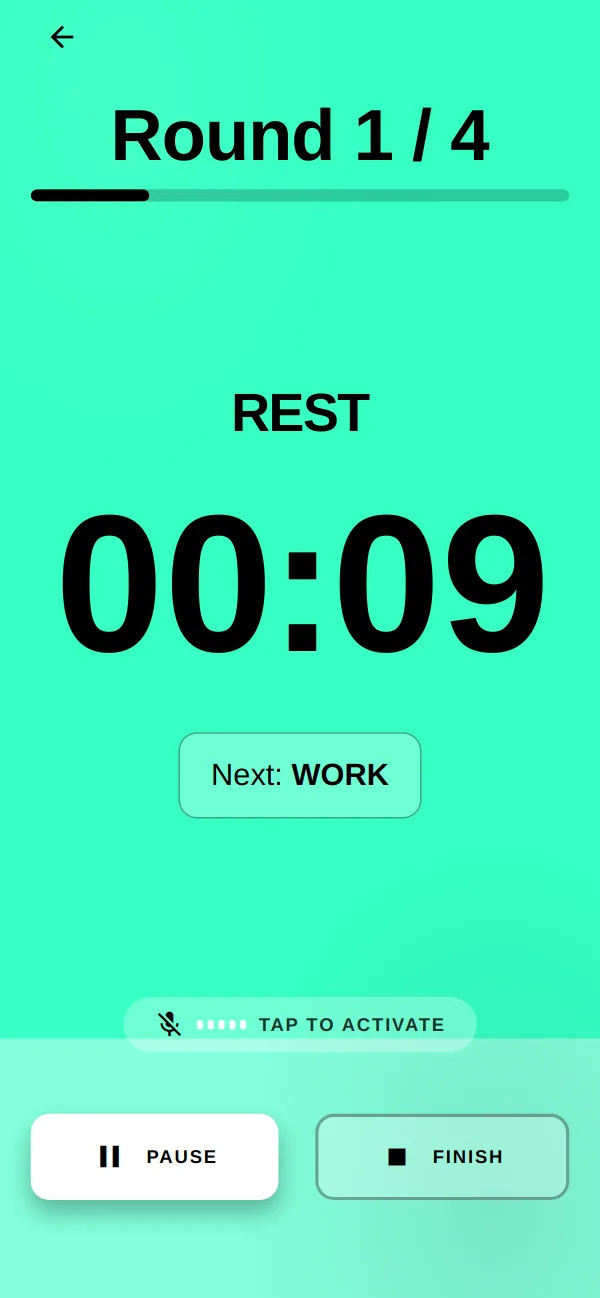
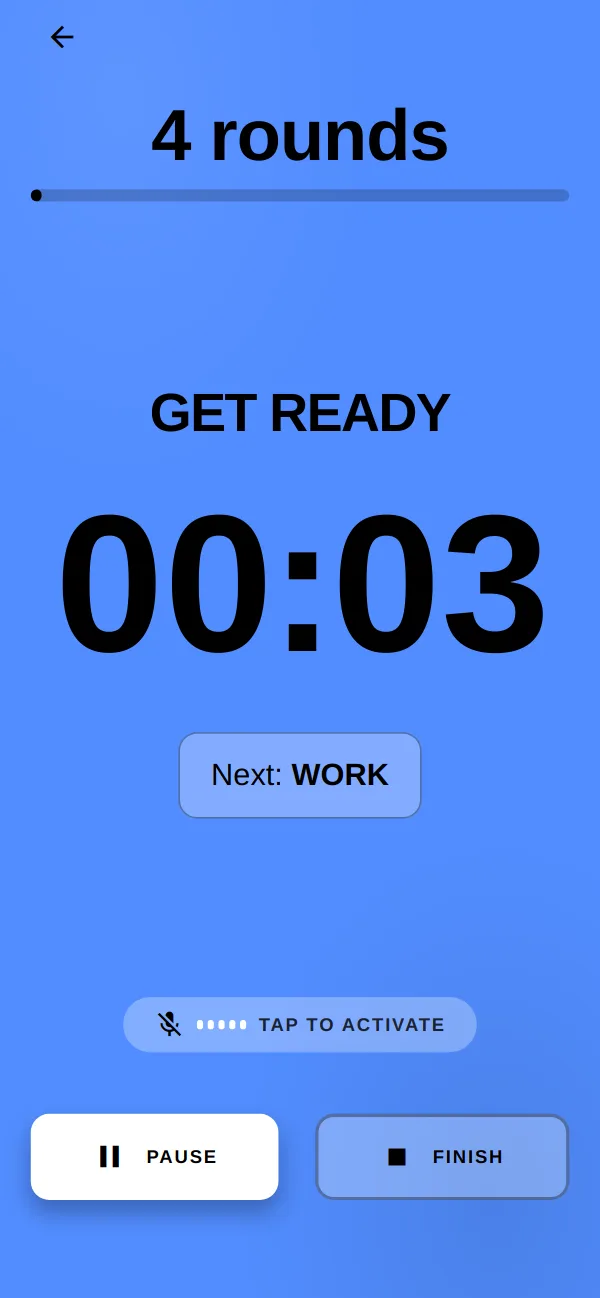
Get ready is blue, work is orange, rest is mint. The color fills the whole screen, and the digits are big enough to read from the floor. Before every switch, beeps count down the last seconds.
The timer counts against fixed end points instead of adding up seconds. Even after 30 minutes, every round is spot on.
If you like, HIIT FLOW announces the next round while you're still resting. You know what's coming without looking.
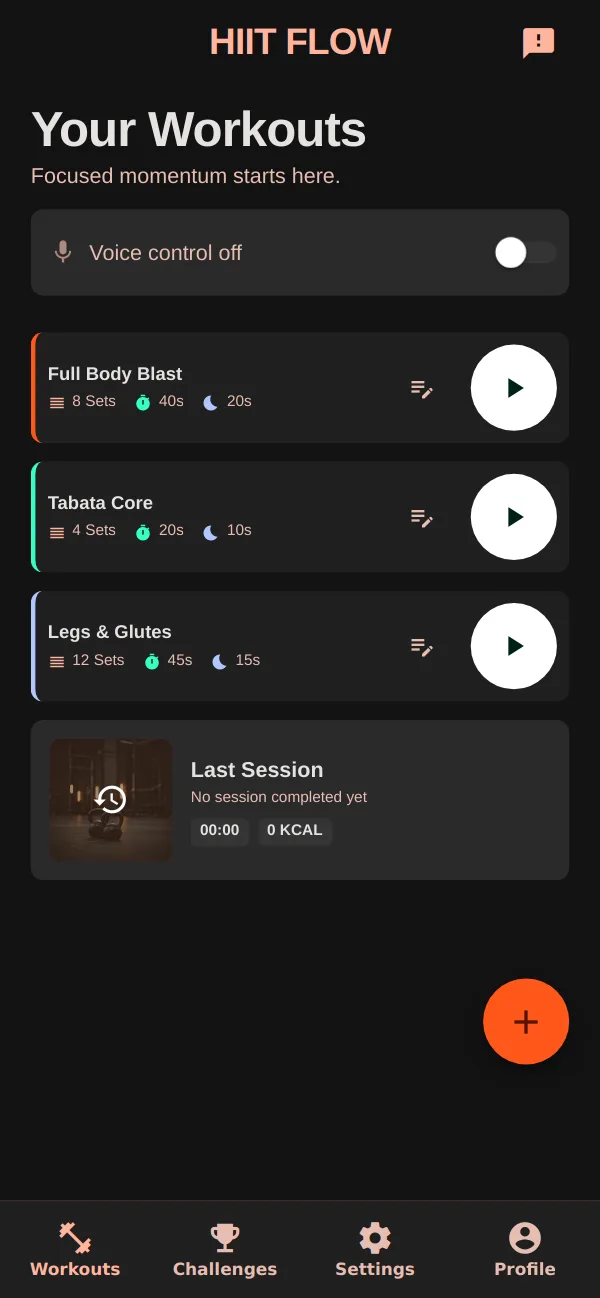
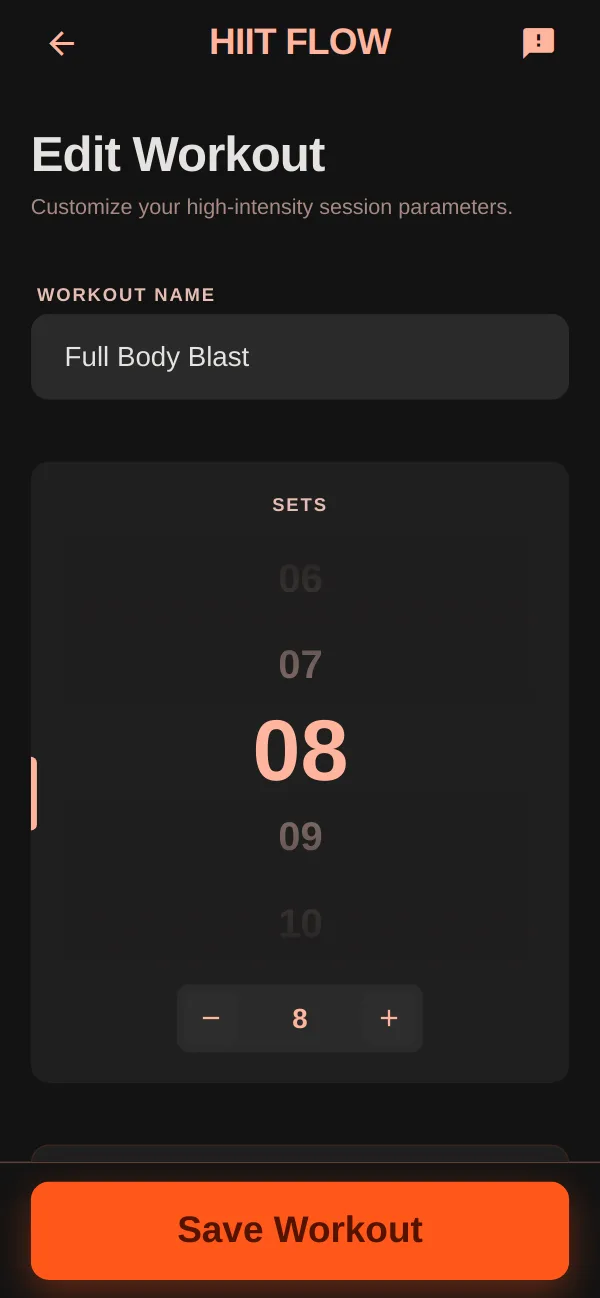
Pick your sets, work and rest times. Three templates are ready to go: Full Body Blast, Tabata Core and Legs & Glutes.
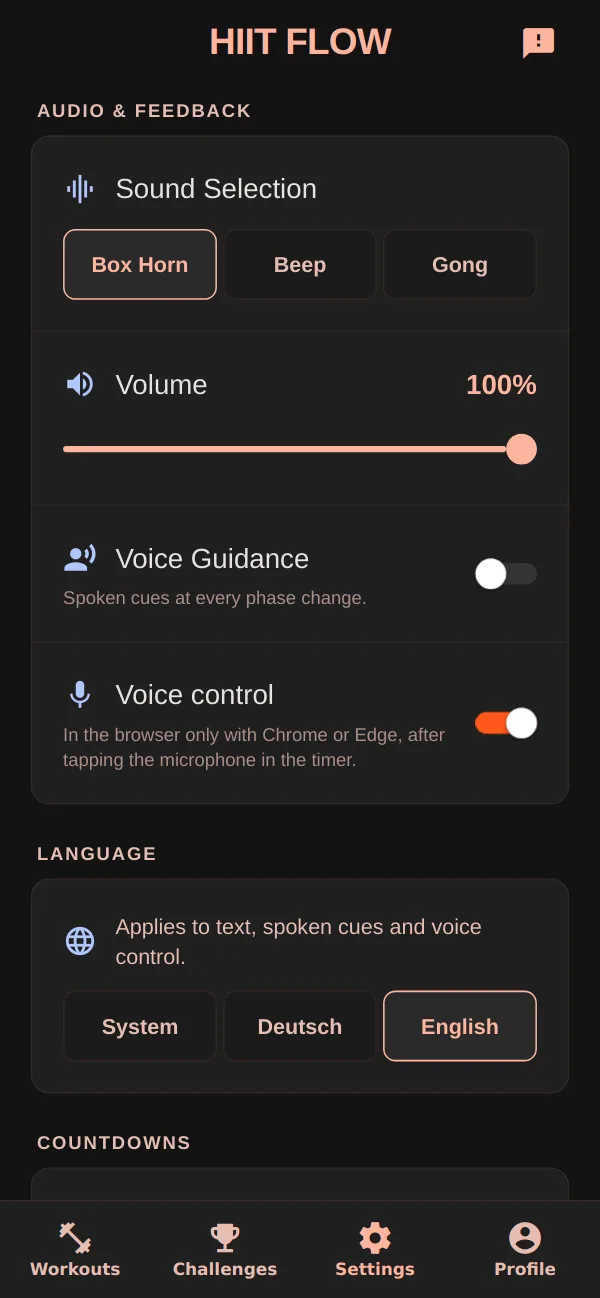
Need a quick break mid-set? Say “pause”. Ready again? Say “resume”. No sweaty screen, no hunting for the button.
Connect Spotify and add a playlist to each workout. With Spotify Premium, the music starts together with your workout. Without Premium, HIIT FLOW opens the playlist right in your Spotify app.
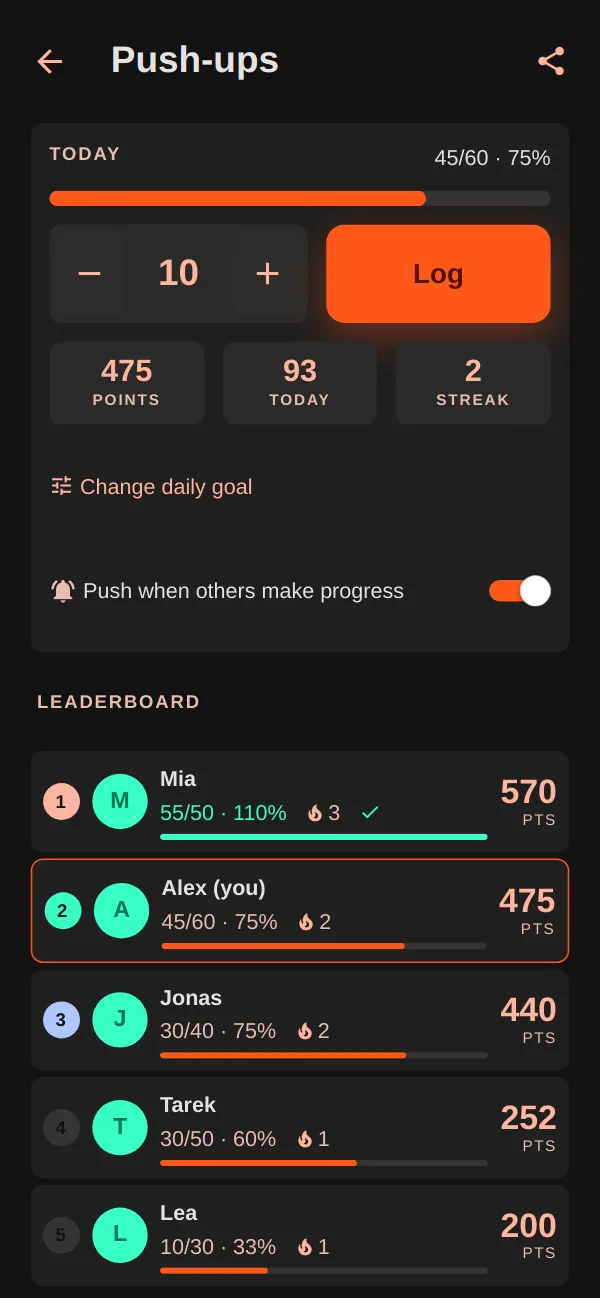
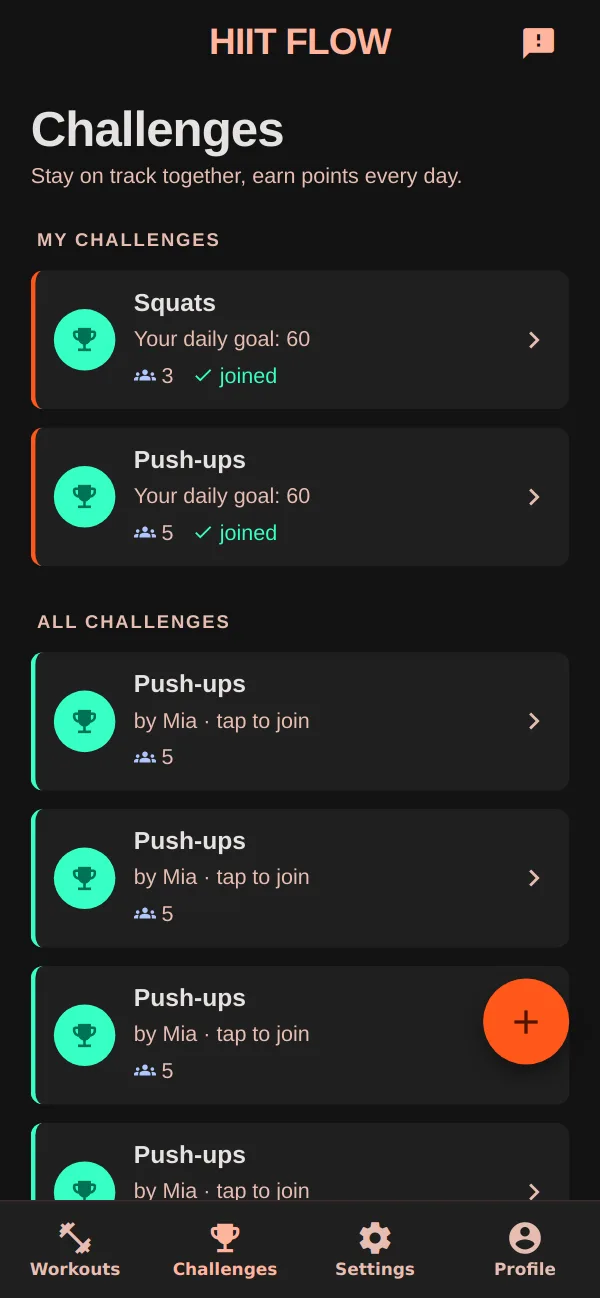
Start a challenge, like 100 squats a day, or join an open one. Everyone sets their own daily goal and logs sets whenever it suits them.
Screen with sample data. Challenges need an account.
The Challenges clip. Sound on.
Tap “Continue as Guest” and go. Your workouts and history stay on your device.
After the first visit, HIIT FLOW starts even in a basement gym with zero bars.
For challenges and syncing between phone and tablet. Your guest workouts move into your new account.
How HIIT FLOW handles your data is explained in the app's privacy policy (German).
Go to hiitflow.8thsense.de in your browser and tap “Continue as Guest”. No download, no forms.
Take a template or tap the plus to build your own: sets, work, rest and, if you like, a playlist.
Tap play or say “start”. From now on, the color tells you what to do.
Real screens from the app. Drag, swipe or use the arrows to browse.
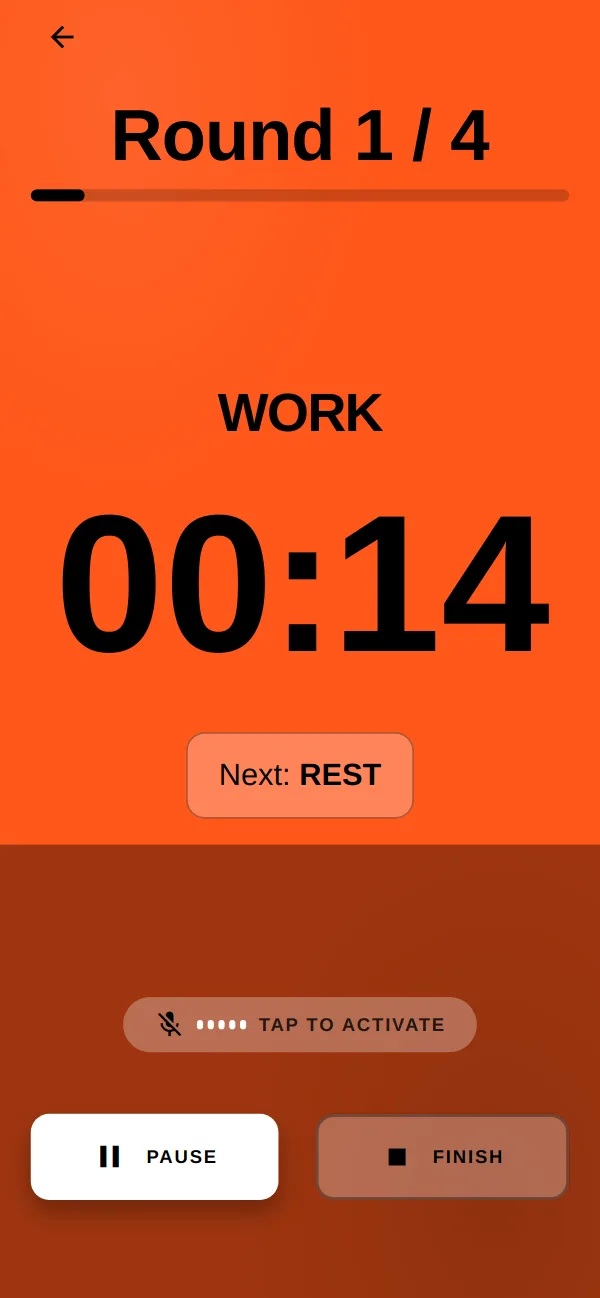
1 / 8 Work: orange, big digits, the next phase in view.
HIIT FLOW is a web app. Once installed, it launches full screen from your home screen, just like any other app.
Open it in Chrome and tap “Install” on the sign-in screen. Or choose “Install app” in the browser menu.
Open it in Safari, tap Share and choose “Add to Home Screen”.
In Chrome or Edge, click the install icon in the address bar.
The Android app is in the works and coming soon to Google Play.
An interval timer for HIIT, Tabata and circuit training. You set your sets, work and rest times, and HIIT FLOW shows each phase in its own signal color with big digits and plays countdown beeps before every switch. On top of that: voice control, a Spotify playlist per workout and challenges with others.
No. In guest mode you can use the timer, workouts and history without signing up, and your data stays on your device. You only need an account for challenges and to sync workouts and history across devices. If you create a new account after using guest mode, your workouts come with you.
Yes, after the first visit. The web app saves itself in your browser storage and starts without a connection from then on. Timer and workouts run entirely on your device. Challenges, account sync and Spotify need a connection.
Say commands like “start”, “pause”, “resume”, “next”, “back”, “stop” or “restart”. In the browser this works in Chrome and Edge once you've tapped the microphone in the timer. The Android app also listens for a wake word (“Hey Flow”, customizable). In English it uses your phone's built-in speech recognition; fully offline recognition is currently available in German only.
For auto-start, yes: with Spotify Premium and an active Spotify device, a workout's playlist starts together with your training. Without Premium, HIIT FLOW opens the playlist in your Spotify app and you hit play yourself. And of course the timer works without Spotify, too.
Not yet, the Android app is coming to Google Play soon. Until then, install HIIT FLOW straight from your browser: on Android via Chrome, on iPhone via Safari with “Add to Home Screen”. After that, HIIT FLOW launches from your home screen like any other app.
HIIT FLOW is built and run by 8thsense in Hannover, Germany. Accounts and challenges live on 8thsense's own server, not with an analytics or ad service.
Open it in your browser, start as a guest, install later.
Coming soon to Google Play An app by 8thsense from Hannover, Germany.